Signals
OS mode — built-in and plug-in
The system comes prepared for you to build your own productivity environment. Not as a blank canvas you have to furnish, but the way an operating system arrives — with the everyday tools already in place, ready for you to arrange around your work. You can time your work. You can keep notes. And in the same window, you can ask the AI to build you an application.
That is OS mode: the deliberate, hands-on side of tunbru-desktop. It is the counterpart to Genie mode — and the two are pointed at different people on purpose.
The rail — everything already there
Down the side sits the rail. Open it and the built-in tools are simply listed, ready. Nothing to install, nothing to configure first.
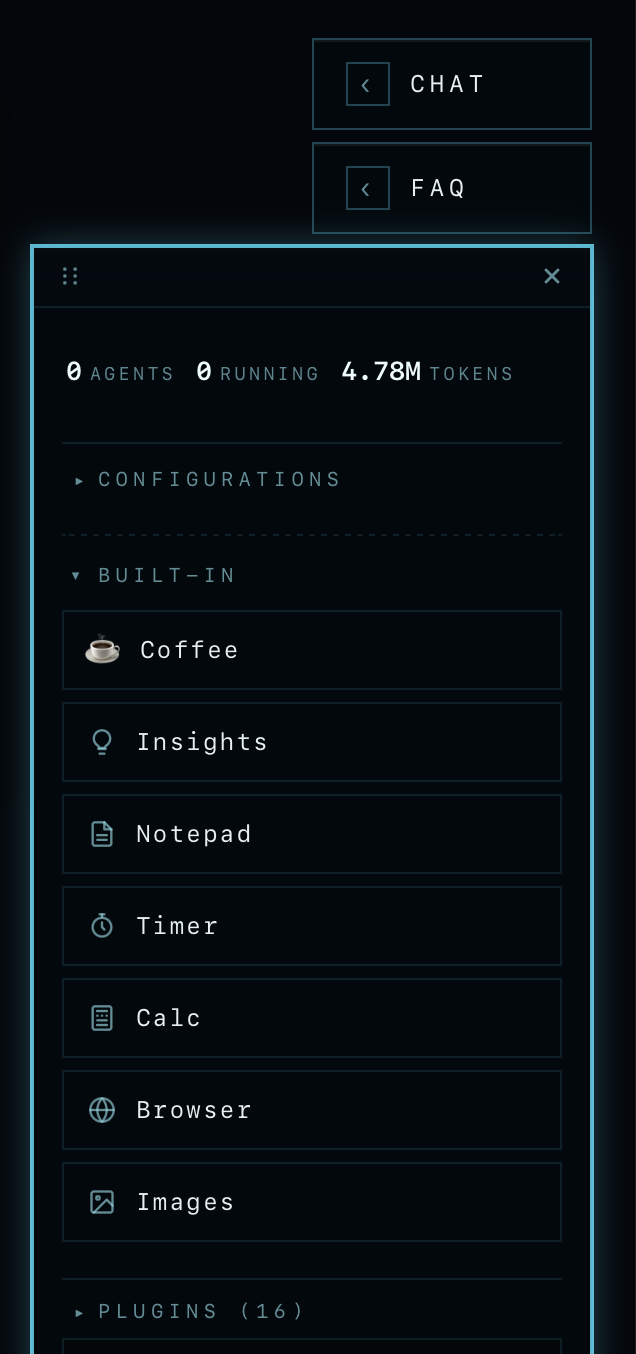
Built-in, then plug-in
The built-in tools cover the work itself: timing a session, holding notes, keeping each session's notes apart. That is the floor, not the ceiling. When you need more, you don't go hunting for software — you ask for it, and the plug-in system extends the set.
Here is the distinction that matters. Every application you have the AI create can be turned into a card — a live one. There is an install wizard already standing behind the scenes, so a standalone app you just requested comes up ready to use. You test the thing you built, live, without going off to run servers or stand up an environment first. The friction that normally sits between "made it" and "using it" isn't there.
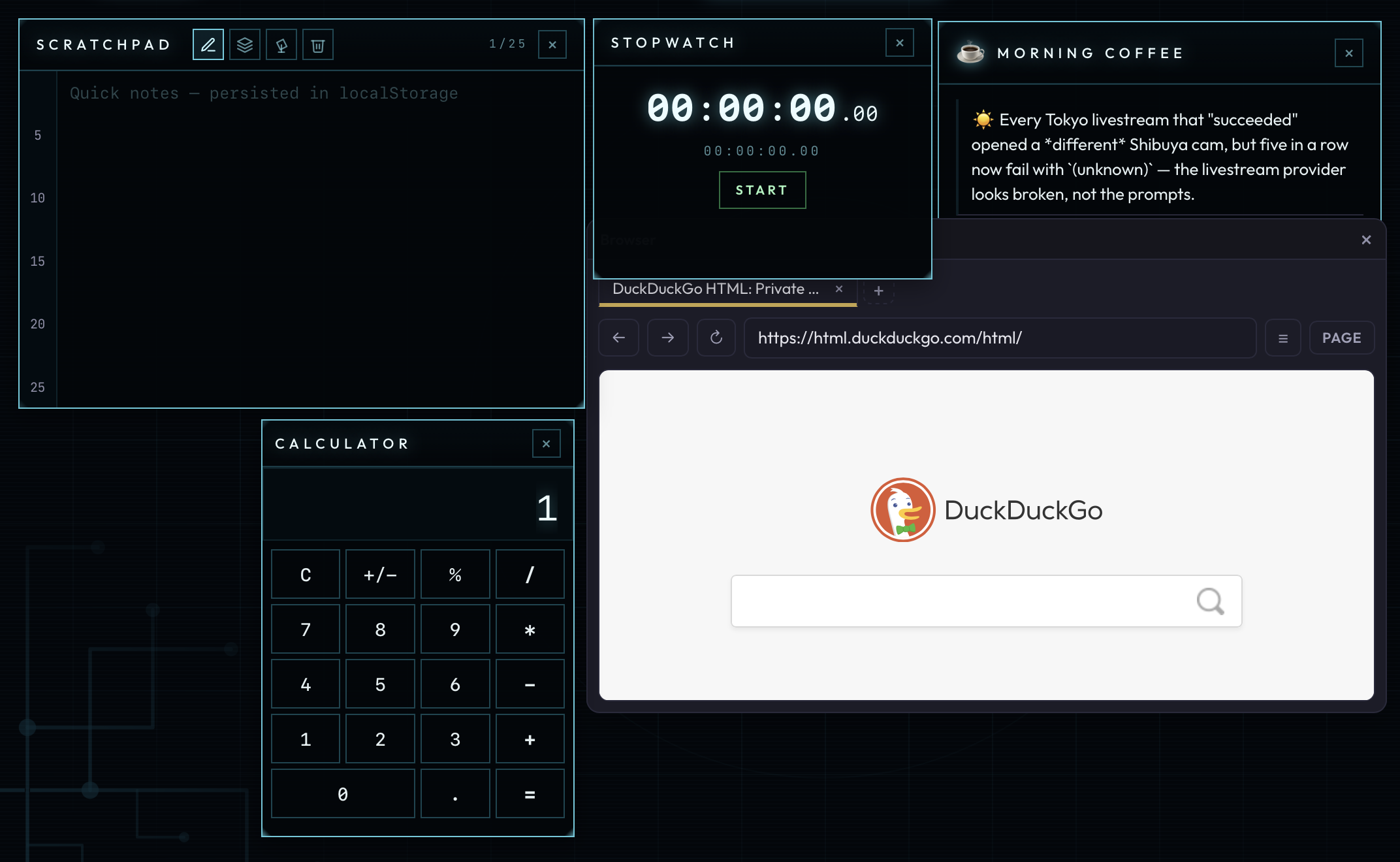
And these don't have to be tools we shipped. Below are two plug-ins that aren't in the bundle — I made them myself: one pulls the transcript out of any YouTube video, the other lets me ask specific questions about what was said. Requested, built, turned into cards, sitting in my workspace next to the built-ins.
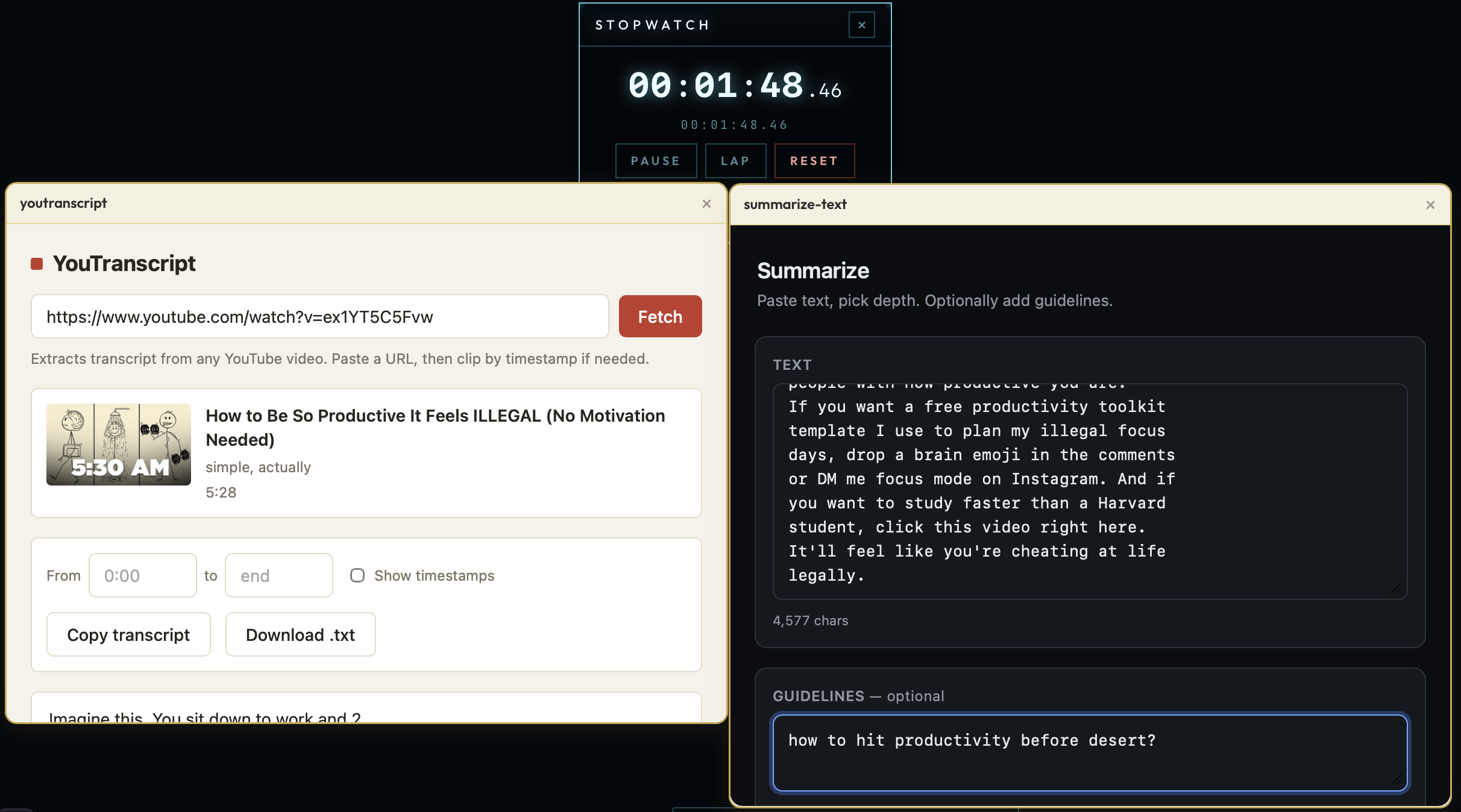
So a person who already has the built-in tools for their day can grow the number of tools around their work — as many as the job calls for — through the plug-in system, without ever leaving the app to make one of them real.
Two modes, one clear line
OS mode is for work: methodical, deliberate, a place you sit down in and build up over sessions. Genie mode is for the person who wants no friction at all — who asks for a thing and receives it, delivered. One is for running the machine; the other is for getting the result and skipping the machine entirely.
We're not going to lay the whole system out here. This is a preview — enough to show what's possible once the platform arrives prepared, like an operating system, with room to grow one plug-in at a time.
Reserve seats for your organisation
Join the waitlistSinais
Modo OS — integrado e por plug-in
O sistema vem preparado para construir o seu próprio ambiente de produtividade. Não como uma tela em branco que tem de mobilar, mas da forma como chega um sistema operativo — com as ferramentas do dia a dia já no lugar, prontas para as organizar à volta do seu trabalho. Pode cronometrar o seu trabalho. Pode guardar notas. E, na mesma janela, pode pedir à IA que lhe construa uma aplicação.
Isso é o modo OS: o lado deliberado e prático do tunbru-desktop. É a contraparte do modo Genie — e os dois apontam de propósito a pessoas diferentes.
A barra lateral — tudo já lá
Ao lado fica a barra. Abra-a e as ferramentas integradas aparecem simplesmente listadas, prontas. Nada para instalar, nada para configurar primeiro.
Integrado, depois por plug-in
As ferramentas integradas cobrem o trabalho em si: cronometrar uma sessão, guardar notas, manter as notas de cada sessão separadas. Isso é o chão, não o teto. Quando precisa de mais, não vai à caça de software — pede, e o sistema de plug-ins amplia o conjunto.
Aqui está a distinção que importa. Cada aplicação que pede à IA para criar pode ser transformada num card — vivo. Há um assistente de instalação já de prevenção nos bastidores, por isso uma app autónoma que acabou de pedir surge pronta a usar. Testa aquilo que construiu, ao vivo, sem ir correr servidores nem montar um ambiente primeiro. A fricção que normalmente fica entre «fiz» e «estou a usar» não existe.
E estes não têm de ser ferramentas entregues por nós. Abaixo estão dois plug-ins que não fazem parte do pacote — fi-los eu: um extrai a transcrição de qualquer vídeo do YouTube, o outro deixa-me fazer perguntas específicas sobre o que foi dito. Pedidos, construídos, transformados em cards, no meu espaço de trabalho ao lado dos integrados.
Assim, quem já tem as ferramentas integradas para o seu dia pode aumentar o número de ferramentas à volta do seu trabalho — tantas quantas a tarefa pedir — através do sistema de plug-ins, sem nunca sair da app para tornar uma delas real.
Dois modos, uma linha clara
O modo OS é para o trabalho: metódico, deliberado, um lugar onde se senta e que vai construindo ao longo de sessões. O modo Genie é para quem não quer fricção nenhuma — que pede uma coisa e a recebe, entregue. Um é para operar a máquina; o outro é para obter o resultado e saltar a máquina por completo.
Não vamos expor aqui o sistema inteiro. Isto é uma pré-visualização — o suficiente para mostrar o que é possível quando a plataforma chega preparada, como um sistema operativo, com espaço para crescer um plug-in de cada vez.