Signals
Genie mode
The genie lives in the lamp. You rub the lamp, you make a wish, the thing appears. Genie mode is that, made literal: you speak, and the system builds a small utility for you — no menus, no build steps, no configuration you have to understand first. It is the friendly face of tunbru-desktop, and it exists for one kind of person: someone who wants the result and does not want to deal with the machine to get it.
The rest of this post is a single worked example, with screenshots, so you can see it actually happening.
The wish: a surveillance dashboard (opensourced public cameras)
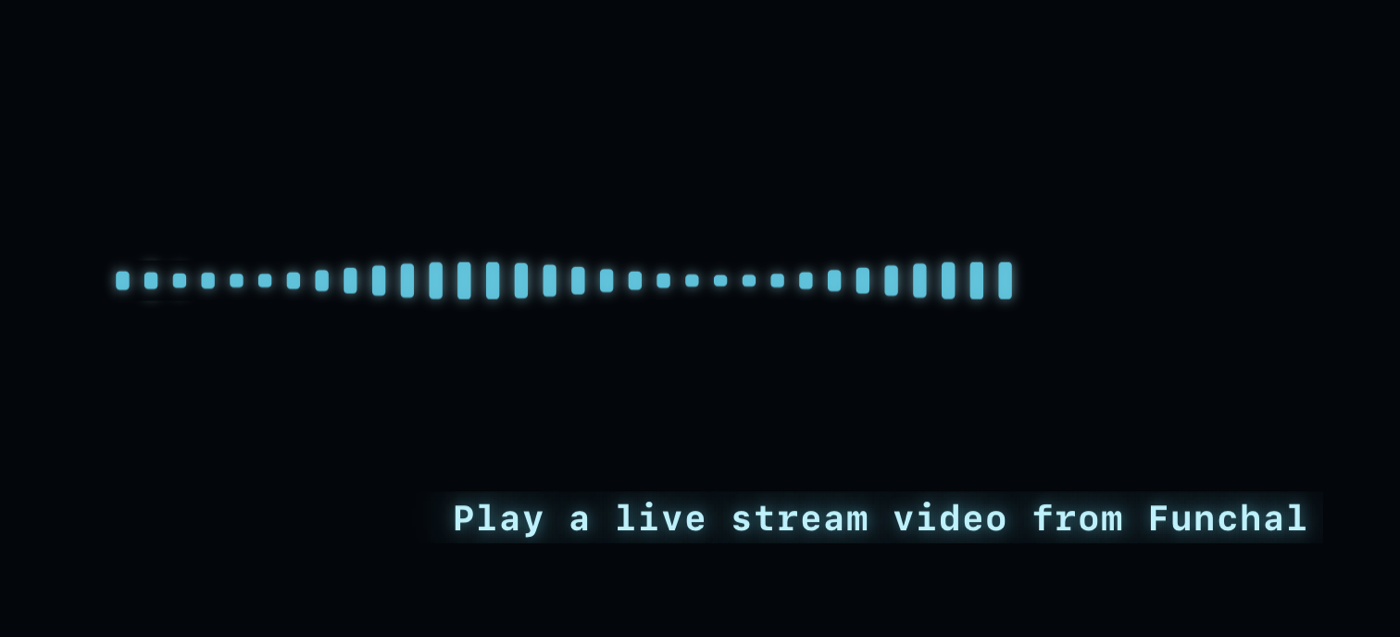
A new user opens the app and says a wish out loud. The wish is just plain speech — "I want this", followed by what "this" is:
- "Play a live stream video from a city near me."
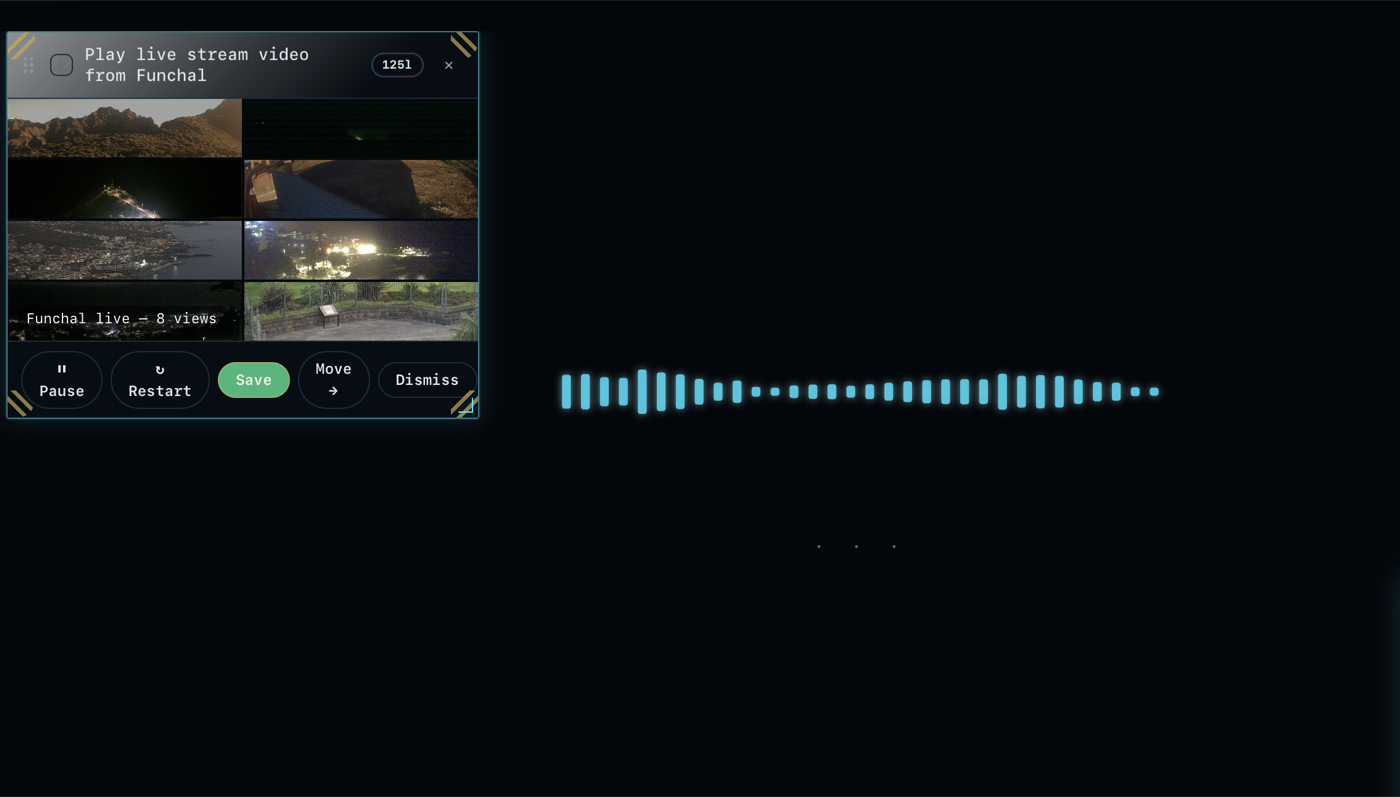
That is the entire instruction. From that sentence, Genie finds the live streams — all drawn from opensourced, publicly available cameras — builds a monitoring dashboard around them, and drops it into a workspace. The friction that would normally sit between "I want this" and "here it is" has been removed on purpose.
Consider what that same result costs you by hand: curating sources, hunting for working feeds, opening tab after tab in a browser, arranging them so you can watch more than one at once. That is minutes — sometimes a lot longer — of tedious work. Here it collapses to a single moment: you talk to the microphone, you say the command, and it is instantaneous.
And the latency target held: we lived up to the five-second response lag for the livestream displaying — from the moment you finish speaking, the feed is on screen inside that window.
The proof — voice command recognition
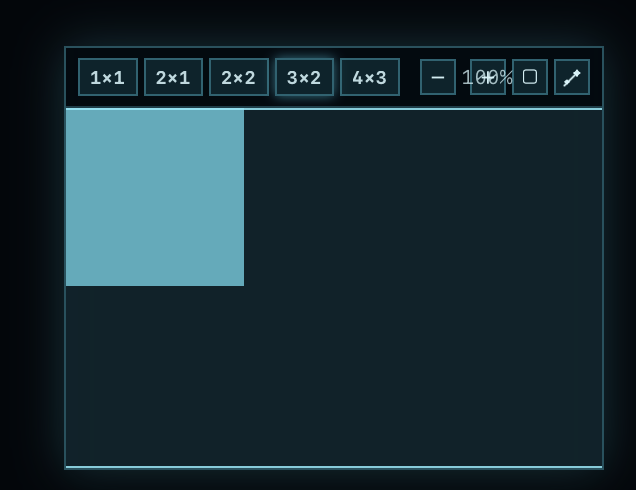
None of what follows was typed. Every step below happened from speech alone — this is the actual material, captured from the app.
Workspaces stack like a matrix
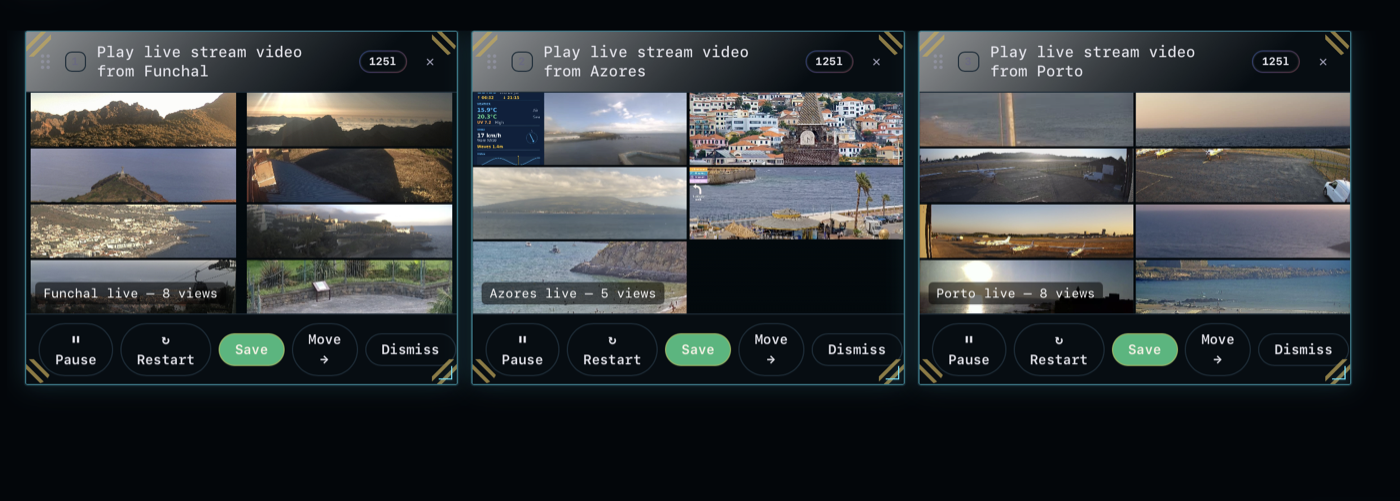
Here is the part that makes it more than a party trick: you create workspaces. Each thing you ask for lives in one, and every workspace stays in memory. Build one to watch a single area — then build a second, a separate layer, watching a completely different region. They don't collide; they stack. You switch between them like moving across a matrix.
And it is entirely up to you what a workspace is for. You might fill one with several public livestreams and nothing else. You might keep a dedicated surveillance workspace running live, and — right beside it — a separate workspace given over only to apps for strategic maps. Each one becomes a workpad: a focused surface holding only what is interesting to you at that moment, and nothing else.
- A livestream workspace — several public streams, side by side.
- A surveillance workspace — a live monitoring panel for one region.
- A strategic-maps workspace — dedicated only to map apps, a workpad for planning.
It's flexible because none of it is hand-built. Each workspace is generated from what you said, and rearranging, swapping, or spinning up a new one costs you nothing.
Underneath, there is an operating system — and it is not for beginners
Genie mode is the easy door. Behind it sits the actual operating system, which is the default of the platform, and that layer is not designed for lay users. It is built for power users — people who genuinely want to sit down and build their own tools, wire their own workflows, and run the machine directly.
We're not going to explain that layer here. It would take a book, maybe several. The only thing worth saying is that it hasn't been removed to make room for Genie mode — both exist at once. Genie mode is the fast lane for people who just want what they want; the full operating system is still there underneath for the people who want everything.
Reserve seats for your organisation
Join the waitlistSinais
Modo Genie
O génio vive na lâmpada. Esfrega a lâmpada, faz um desejo, a coisa aparece. O modo Genie é isso, tornado literal: fala, e o sistema constrói uma pequena utilidade para si — sem menus, sem passos de compilação, sem configuração que tenha de perceber primeiro. É a face amigável do tunbru-desktop, e existe para um tipo de pessoa: alguém que quer o resultado e não quer lidar com a máquina para o obter.
O resto deste artigo é um único exemplo trabalhado, com capturas de ecrã, para que veja a acontecer de facto.
O desejo: um dashboard de vigilância (câmaras públicas de fonte aberta)
Um novo utilizador abre a app e diz um desejo em voz alta. O desejo é apenas fala normal — «quero isto», seguido do que «isto» é:
- «Reproduz um vídeo em direto de uma cidade perto de mim.»
É essa a instrução completa. A partir dessa frase, o Genie encontra as transmissões em direto — todas de câmaras de fonte aberta, publicamente disponíveis — constrói um dashboard de monitorização à volta delas, e coloca-o num espaço de trabalho. A fricção que normalmente ficaria entre «quero isto» e «aqui está» foi removida de propósito.
Pense no que esse mesmo resultado lhe custa à mão: curar fontes, procurar feeds a funcionar, abrir separador atrás de separador num navegador, organizá-los para conseguir ver mais do que um de cada vez. São minutos — por vezes muito mais — de trabalho tedioso. Aqui colapsa num único momento: fala para o microfone, diz o comando, e é instantâneo.
E a meta de latência aguentou-se: cumprimos o atraso de resposta de cinco segundos para a apresentação da transmissão em direto — a partir do momento em que acaba de falar, o feed está no ecrã dentro dessa janela.
A prova — reconhecimento de comandos de voz
Nada do que se segue foi escrito à mão. Cada passo abaixo aconteceu apenas por fala — este é o material real, capturado da app.
Os espaços de trabalho empilham-se como uma matriz
Aqui está a parte que faz disto mais do que um truque de salão: cria espaços de trabalho. Cada coisa que pede vive num deles, e todos os espaços de trabalho ficam em memória. Construa um para observar uma única área — depois construa um segundo, uma camada separada, a observar uma região completamente diferente. Não colidem; empilham-se. Alterna entre eles como quem se move numa matriz.
E é inteiramente consigo decidir para que serve um espaço de trabalho. Pode encher um com várias transmissões públicas em direto e nada mais. Pode manter um espaço de trabalho de vigilância dedicado a correr em direto, e — mesmo ao lado — um espaço de trabalho separado entregue apenas a apps de mapas estratégicos. Cada um torna-se um bloco de trabalho: uma superfície focada que contém apenas o que lhe interessa naquele momento, e nada mais.
- Um espaço de trabalho de transmissões em direto — várias transmissões públicas, lado a lado.
- Um espaço de trabalho de vigilância — um painel de monitorização em direto para uma região.
- Um espaço de trabalho de mapas estratégicos — dedicado apenas a apps de mapas, um bloco de trabalho para planeamento.
É flexível porque nada disto é construído à mão. Cada espaço de trabalho é gerado a partir do que disse, e reorganizar, trocar ou lançar um novo não lhe custa nada.
Por baixo, há um sistema operativo — e não é para principiantes
O modo Genie é a porta fácil. Por trás dele está o verdadeiro sistema operativo, que é o padrão da plataforma, e essa camada não foi desenhada para utilizadores leigos. Foi construída para utilizadores avançados — pessoas que querem genuinamente sentar-se e construir as suas próprias ferramentas, ligar os seus próprios workflows e operar a máquina diretamente.
Não vamos explicar essa camada aqui. Precisaria de um livro, talvez vários. A única coisa que vale a pena dizer é que não foi removida para dar lugar ao modo Genie — ambos existem ao mesmo tempo. O modo Genie é a via rápida para quem quer apenas o que quer; o sistema operativo completo continua lá por baixo para as pessoas que querem tudo.