Setup · 1 min read
Automating your company, part 23
Expenses and receipts
Receipts arrive as photos, PDFs and invoice emails, and every one has to end up in the right bookkeeping category before the accountant asks. It is the same kind of reading and matching as the month-end close, so a mini-app can sort them for you.
Build a mini-app "Receipts". Collect receipt photos and PDFs from a @connector:drive folder and from invoice emails in @connector:gmail, read each one (vendor, date, amount, VAT), sort it into a bookkeeping category, and flag duplicates and anything missing a receipt. Export the month to @connector:sheets for my accountant, and ask me yes/no on anything the app isn't sure about. Include 10 sample receipts.
The reading part is already proven: the Ledger Desk reads invoice PDFs and a bank CSV and closes the month.
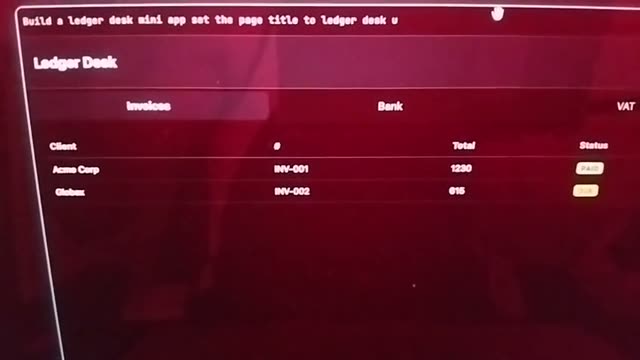 Already provenAutomating your company, part 12 — accounting closure (Ledger Desk)Month-end close from your invoice PDFs and bank CSV: what is paid, what is due, and who to chase.
Let the Orchestrator sort your receipts
Join the waitlistConfiguração · 1 min de leitura
Automatizar a sua empresa, parte 23
Despesas e recibos
Os recibos chegam como fotografias, PDF e emails de faturas, e cada um tem de acabar na categoria contabilística certa antes de o contabilista perguntar. É o mesmo tipo de leitura e associação do fecho do mês, por isso uma mini-app pode organizá-los por si.
Build a mini-app "Receipts". Collect receipt photos and PDFs from a @connector:drive folder and from invoice emails in @connector:gmail, read each one (vendor, date, amount, VAT), sort it into a bookkeeping category, and flag duplicates and anything missing a receipt. Export the month to @connector:sheets for my accountant, and ask me yes/no on anything the app isn't sure about. Include 10 sample receipts.
A parte da leitura já está provada: o Ledger Desk lê os PDF das faturas e o CSV do banco e fecha o mês.
Já provadoAutomatizar a sua empresa, parte 12 — fecho de contas (Ledger Desk)O fecho do mês a partir dos PDF das faturas e do CSV do banco: o que está pago, o que está por pagar e a quem cobrar.