Signals
A business use case — plan, visual cue, how-to
Plenty of businesses run on operators — the people on the ground who have to act, often fast. Take a first-line responder: first on the scene when something goes wrong. They don't have time to learn a tool. They need a plan, a way to see it, and a way to act on it. Here's that whole loop, in one chat — no login.
The loop
Three messages, three artifacts, each building on the last.
| The operator asks | What comes back |
|---|---|
| "Give me a plan to handle a burst water pipe flooding the stockroom." | The plan, as a checklist. |
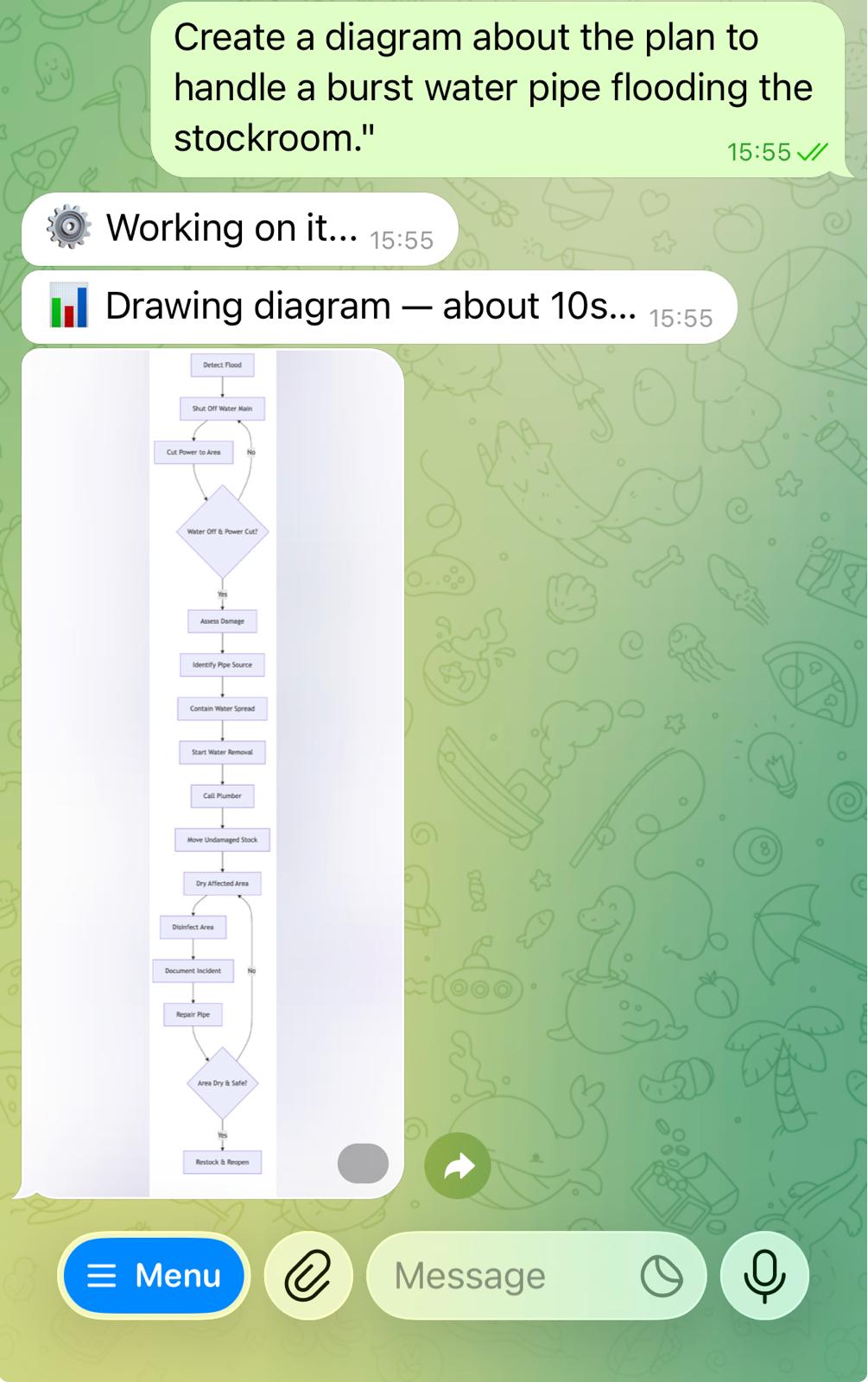
| "Show it as a visual cue." | The plan as a diagram — something to read at a glance. |
| "Now a short how-to." | A video that walks through it in action. |
This is one example. Swap the scenario for any operator's job — the loop is the same: plan → visual cue → how-to.
1 — The plan, as a checklist
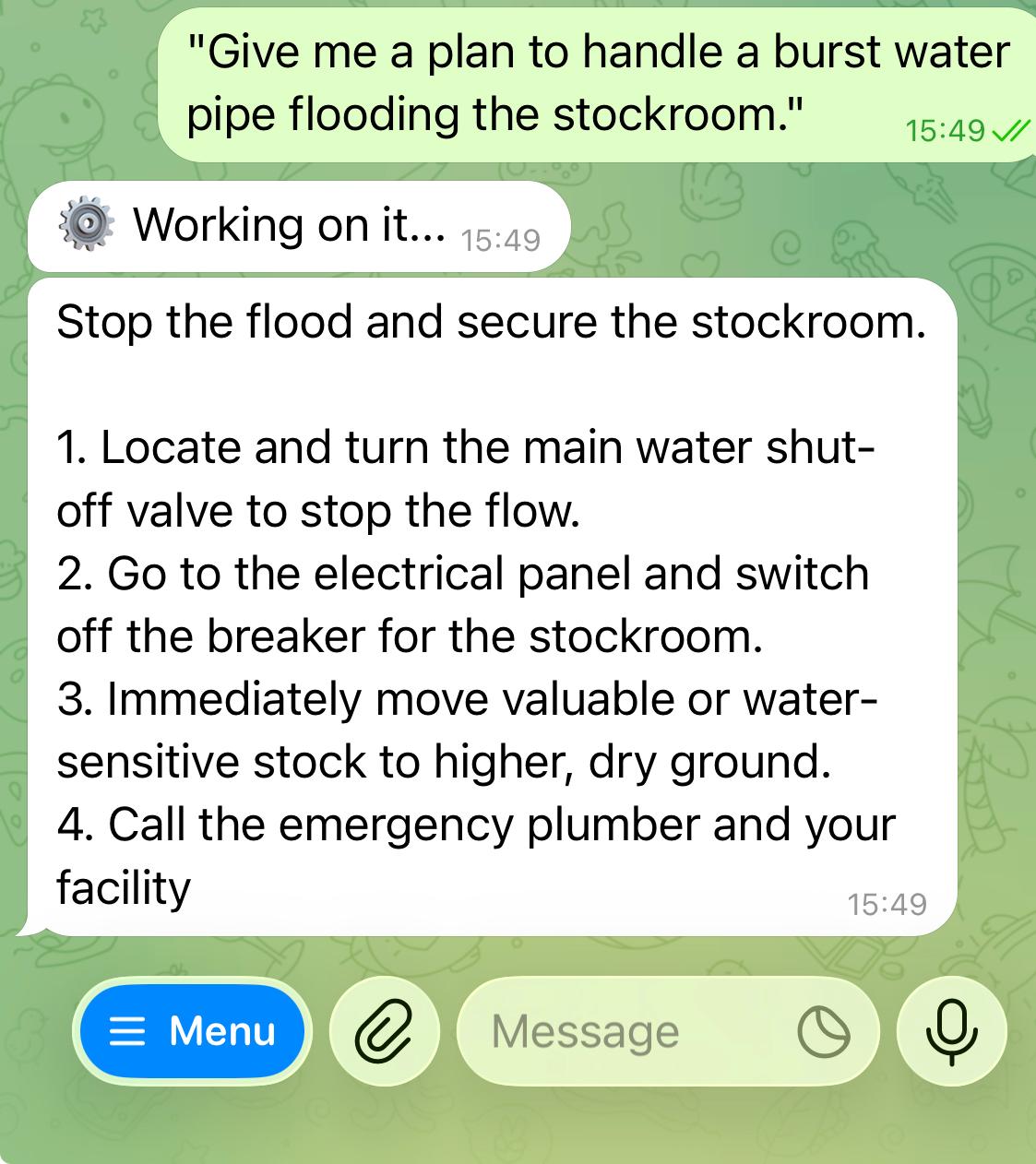
Plain words in, a checklist back — the order to work in. Here it is, word for word from Telegram:
Stop the flood and secure the stockroom.
- Locate and turn the main water shut-off valve to stop the flow.
- Go to the electrical panel and switch off the breaker for the stockroom.
- Immediately move valuable or water-sensitive stock to higher, dry ground.
- Call the emergency plumber and your facility manager.
2 — The same plan, as a visual cue
Ask once more, and the checklist becomes a picture — the visual cue you can take in at a glance, under pressure.
3 — The same plan, as a how-to
One more message turns it into a short tutorial — the plan, in action, that you can hand to anyone on the team.
Who this is for
People who don't want a login and don't want a manual. You need a capable AI's help fast, without learning how to drive it — so we do the driving. In this early phase the hard part is on us; the operator just asks.
What's coming
Mobile is next, built for highly qualified AI operators — people who want more control over the work, not less.
And the big thing brewing: a full desktop for AI run management — every job you've set running, on one board, with Kanban project management. Plan, run, and track your agents the way a team tracks its work.
A note as it grows: this is a working tool, not a toy. The more deliberately a team uses it, the more it returns.
Reserve a channel for your team
Join the waitlistSinais
Um caso de uso empresarial — plano, apoio visual, tutorial
Muitas empresas funcionam com operadores — as pessoas no terreno que têm de agir, muitas vezes depressa. Veja um socorrista de primeira linha: o primeiro a chegar quando algo corre mal. Não tem tempo para aprender uma ferramenta. Precisa de um plano, de uma forma de o ver e de uma forma de agir sobre ele. Aqui está esse loop completo, numa só conversa — sem login.
O loop
Três mensagens, três artefactos, cada um construído sobre o anterior.
| O operador pede | O que volta |
|---|---|
| "Dá-me um plano para lidar com um cano de água rebentado a inundar o armazém." | O plano, como lista de verificação. |
| "Mostra-o como apoio visual." | O plano como diagrama — algo que se lê num relance. |
| "Agora um tutorial curto." | Um vídeo que o percorre em ação. |
Isto é um exemplo. Troque o cenário pelo trabalho de qualquer operador — o loop é o mesmo: plano → apoio visual → tutorial.
1 — O plano, como lista de verificação
Palavras simples a entrar, uma lista de verificação a sair — a ordem pela qual trabalhar. Aqui está, palavra por palavra, do Telegram:
Parar a inundação e proteger o armazém.
- Localize a válvula principal de corte de água e feche-a para parar o fluxo.
- Vá ao quadro elétrico e desligue o disjuntor do armazém.
- Mova imediatamente o stock valioso ou sensível à água para um local mais alto e seco.
- Ligue ao canalizador de urgência e ao seu gestor de instalações.
2 — O mesmo plano, como apoio visual
Peça mais uma vez, e a lista de verificação torna-se uma imagem — o apoio visual que consegue captar num relance, sob pressão.
3 — O mesmo plano, como tutorial
Mais uma mensagem transforma-o num tutorial curto — o plano, em ação, que pode entregar a qualquer pessoa da equipa.
Para quem é isto
Pessoas que não querem login nem manual. Precisa da ajuda de uma IA capaz, depressa, sem aprender a conduzi-la — por isso conduzimos nós. Nesta fase inicial, a parte difícil fica connosco; o operador só pede.
O que vem aí
O mobile é o próximo, construído para operadores de IA altamente qualificados — pessoas que querem mais controlo sobre o trabalho, não menos.
E a grande novidade em preparação: um desktop completo para gestão de execuções de IA — cada tarefa que pôs a correr, num só quadro, com gestão de projetos Kanban. Planeie, execute e acompanhe os seus agentes como uma equipa acompanha o seu trabalho.
Uma nota à medida que cresce: isto é uma ferramenta de trabalho, não um brinquedo. Quanto mais deliberadamente uma equipa a usar, mais ela devolve.